


GreenLight Cover Info panel
The GreenLight Cover Info panel contains specifications, production instructions and notes that travel with the document.
GreenLight automatically adds and populates the GreenLight Cover Info panel when creating and amending covers.
Running some GreenLight checks and adding special finishes will also amend this information.
This panel holds useful infomation for different people throughout the workflow and is typically included in the slug of Proof and Print PDFs.
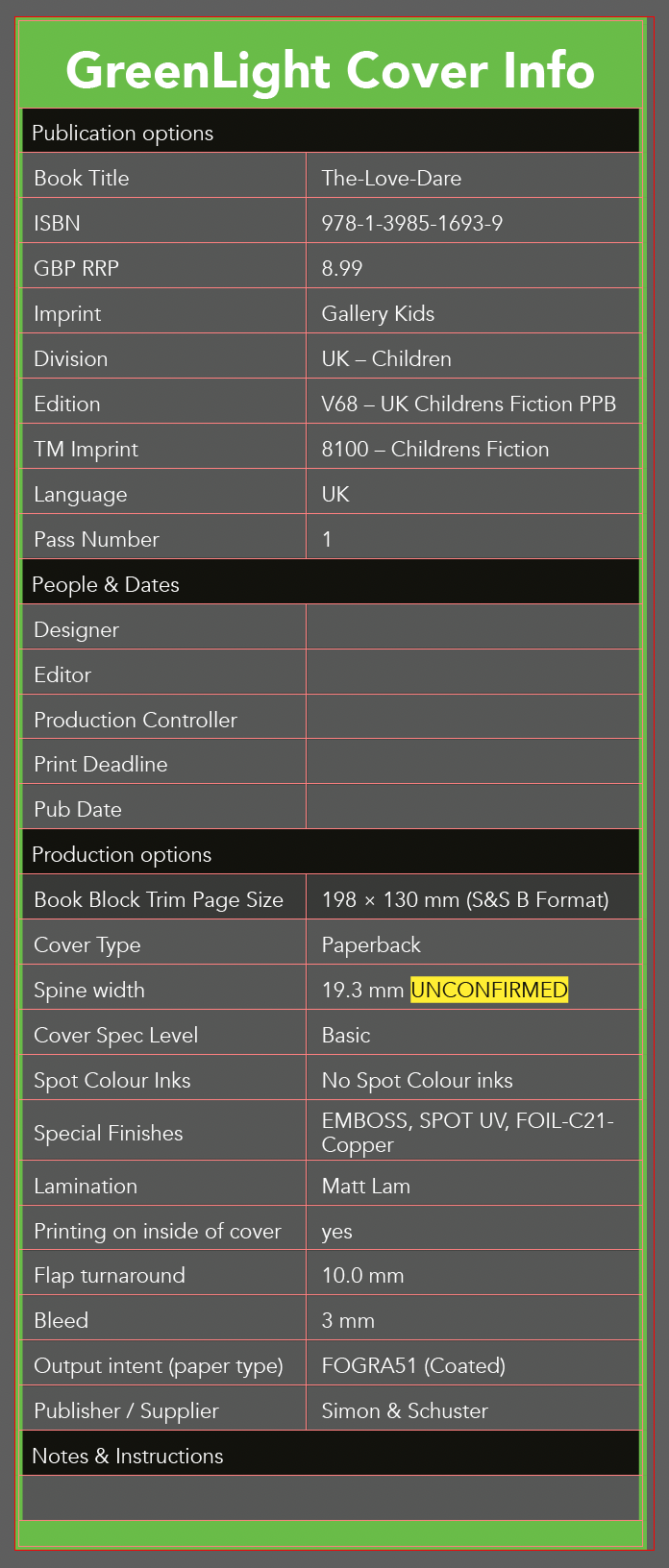
Information is split into catogories of:
- Publication Options – key information including imprint, price, ISBN
- People and Dates – the contact names and of those working on the book. For clients connecting to Biblio names are auto added
- Production Options – production specs include sizes, finishes, lamination, bleed
- Notes & Instrictions – A free text field which will resize as appropriate
NB: As GreenLight Cover Info is used by various GreenLight processes it best to update this info by choosing GreenLight Create menu > Amend cover
Tip: To add a coloured marker showing the relevant artwork stage:
- Choose GreenLight Run menu > Add / Amend artwork stage
- Select the requisite stage from the list provided and click OK



