


GreenLight Tools menu overview
Choose from over 100 custom GreenLight tools in eight panels including Accessibility, Co-Edition and Print Production
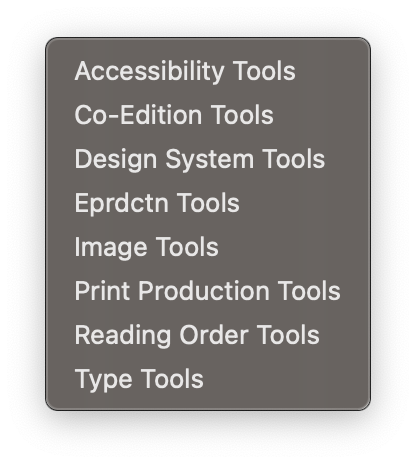
Each GreenLight tool is listed and described in more detail on the Circular Software Tools page
Accessibility Tools
Add key accessibility features to InDesign files including metadata, text styling and sections
Co-Edition Tools
Tools to control text colouring, overprinting, layering, text wraps and accurate file naming for co-edition publishing
Design System Tools
Managing and mapping styles, themes and fonts between InDesign, Microsoft Word and the web
Eprdctn Tools
Checks to support ebook production for InDesign documents and EPUBs including font reports and hyperlinks
Image Tools
Add and manage image descriptions, Slimage (image optimisation) and labelling
Print Production Tools
Tools to quicky fix common print production problems including setting overprint, unlocking all objects, and deleting pasteboard objects or stray points
Reading Order Tools
Define and update reading order by page and set additional region navigation for more accessible complex Fixed-Layout EPUBs
Type Tools
Tools to highlight and fix common typographical and text layout issues including hyphenation, forced line breaks or no breaks and text style overrides


