Typically a hard backed book has a printed paper jacket which is wrapped around the main case bound book. The case is the printer's term for the cover boards and spine which is then wrapped in a material from a wide choice of papers, cloths or other substrates.
This article explains how to add a Case Material reference to an existing GreenLight cover. To create a cover, see the tutorial Creating print ready covers to publisher specs

With hundreds of different textured and coloured case materials available, it makes sense to stipulate the precise option to be used for design, production and print suppliers. Where the print supplier is known, a list of their case materials can be chosen from. Otherwise a reference can be manually added instead.
The choice of case material does not affect the artwork. It is simply a reference added to the Case options section of the GreenLight Cover Info panel.
The case material choice therefore only applies to jackets as other types of binding – e.g. paperback or PLC – have no case options.
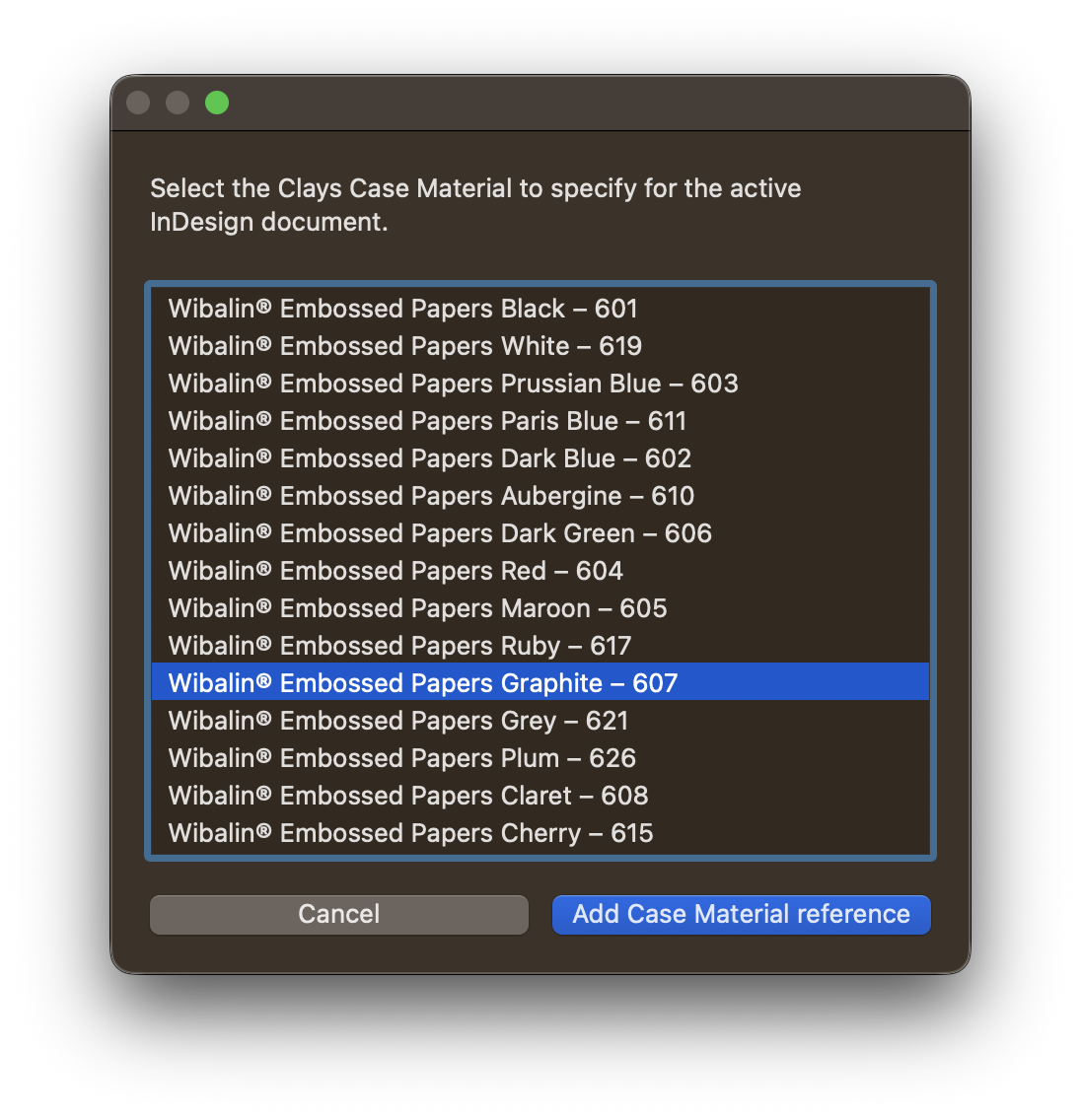
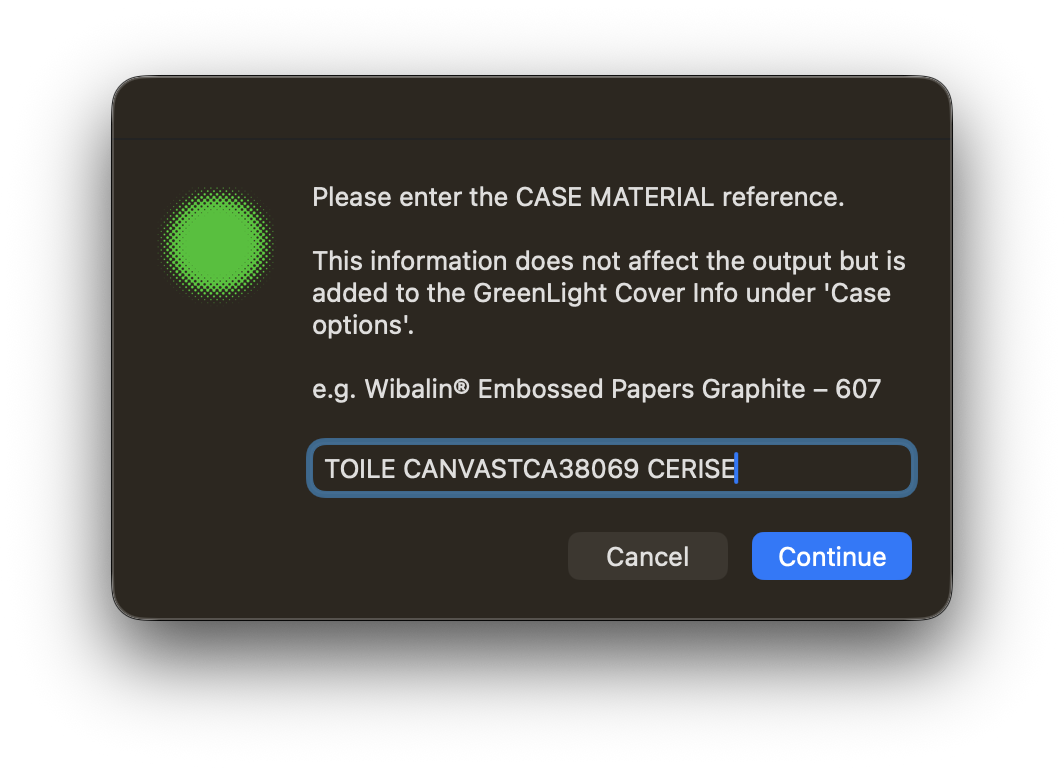
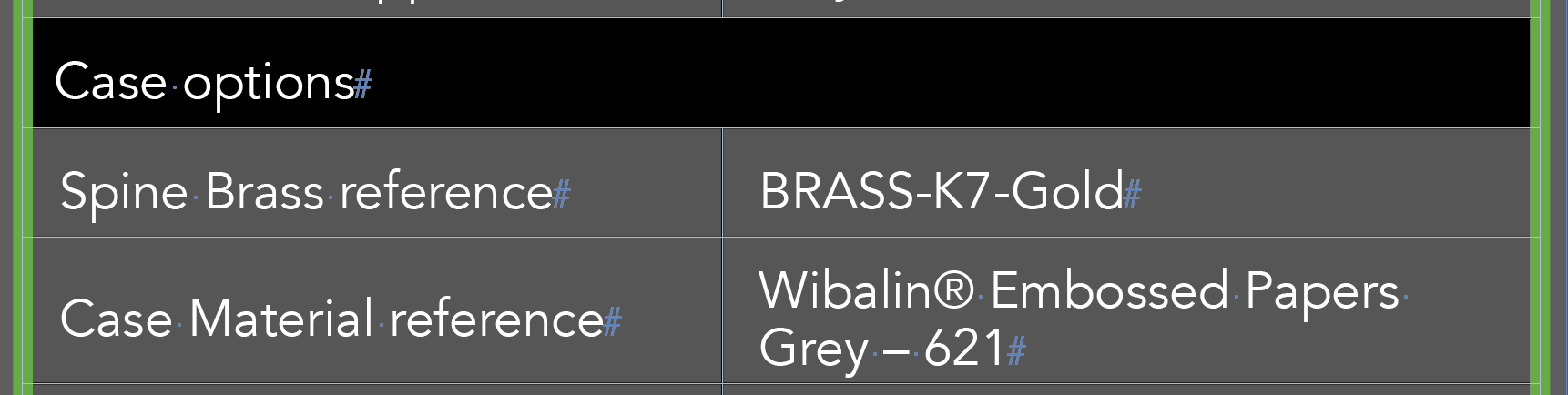
The case material is typically combined with a spine brass, a foil printed onto the case. The spine brass is added by choosing GreenLight Create menu > Add Special Finishes. See the Adding special finishes article for more info.
This article explains how to add to an existing GreenLight cover. See the tutorial Creating print ready covers to publisher specs.
Foils can enhance the visual appeal of the printed book cover but add to the production expense. They are also hard to view on screen, e.g. for marketing.
However, a Faux Foil layer is a printable InDesign layer that aims to simulate the appearance of reflective foil as closely as possible either on screen or in print.
To add a Faux Foil layer:
The faux foil layer name must start with FAUXFOIL to ensure GreenLight is aware of it. Faux foil layer are hidden when exporting a set of Print PDF separations but are added to the printed output when exporting a CMYK only Composite PDF.
Tip: If foil artwork has changed, it is possible to replace the Faux Foil layer by simply repeating the steps above. A warning is shown before it is removed and replaced.

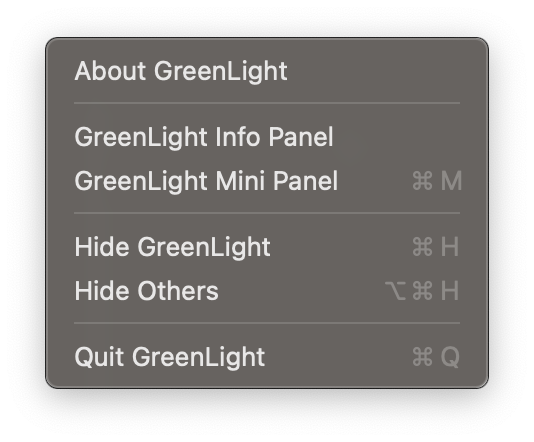
Version number, Client number and developer details
Confirming Client, User ID number and version
A small, simple, one button panel that quickly runs the GreenLight process
Choose which apps are shown / hidden on the Mac
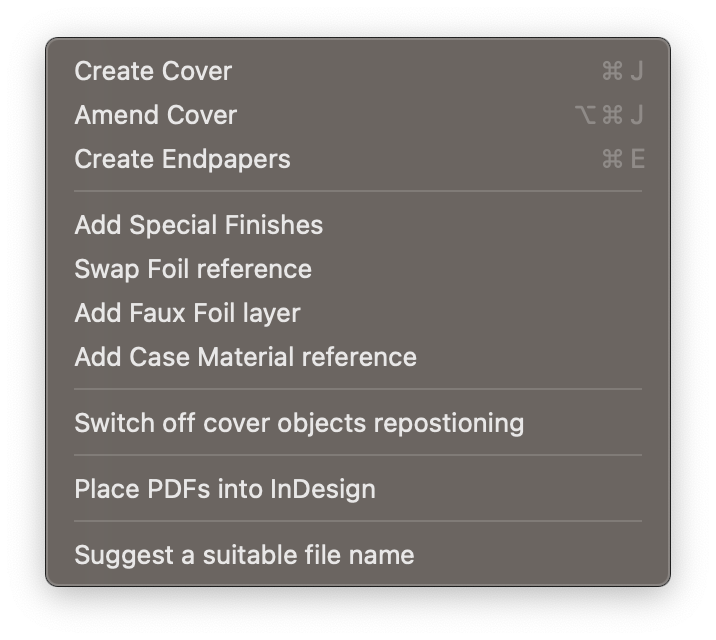
Make new cover artwork to publisher specs. More info in our step-by-step tutorial
To revisit and amend cover settings such as spine width
Make new endpaper artwork to publisher specs
Add special finish layers and swatches matching publisher requirements
Quickly and accurately swap from one foil reference to another
GreenLight can add a printable InDesign layer to simulate the appearance of reflective foil as closely as possible.
Specify the case material reference code matching print supplier requirements
Use this to prevent unwanted movement of repositioned logos, barcodes etc. when amending the cover size
Importing and combining existing PDFs into InDesign
A tool to suggest a file name that matches publisher requirements checked by GreenLight
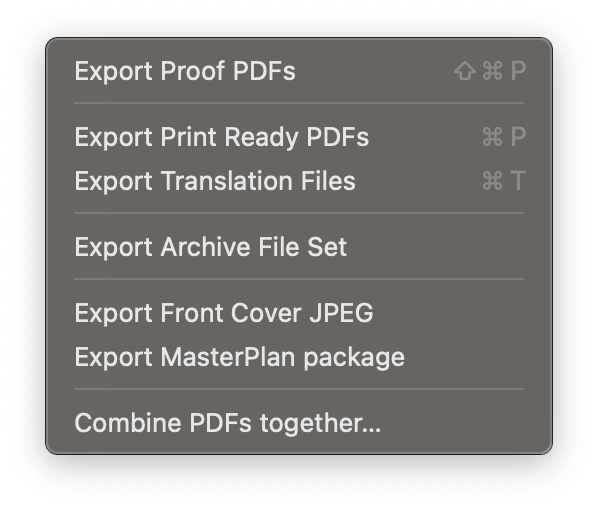
Choose the pages or spreads to export as composite PDFS using the same setup and colour profile as the print PDF
Once GreenLight checks have been passed, consistently export Print Ready PDFs
Export specially prepared and packaged documents for translation
Export a standardised and structured file package ready for archiving
Create marketing graphics from GreenLight-generated covers and jackets
Create MasterPlan packages of spread thumbnails, searchable text and a complete publication (PDF or EPUB) from the open InDesign document
Quickly combine PDF pages from different exported documents

Enter any command to find its location in the GreenLight menus
Specific information by user including software and macOS version numbers, links to updates and to edit account info
Specific information by client including links to tutorials and videos
Product overview, FAQs, pricing info and links to downloads and tutorials
A searchable library of online help articles on GreenLight and Circular Software
Quick links to a growing list of step-by-step tutorials to set up and use GreenLight tools, menus, features and techniques
Info on the latest updates, new featurea and prerelease versions
A central page that outlines how files are prepared for a GreenLight Custom publisher
Info on the available GreenLight checks and checklists for the active version of GreenLight
A log of the Circular Software processes which can be useful for troubleshooting
Opens the Application Support folder in a new Finder window if required for troubleshooting
Existing clients are encouraged to message us on Teams or Slack.
Alternatively, more ways to contact Circular Software are available here
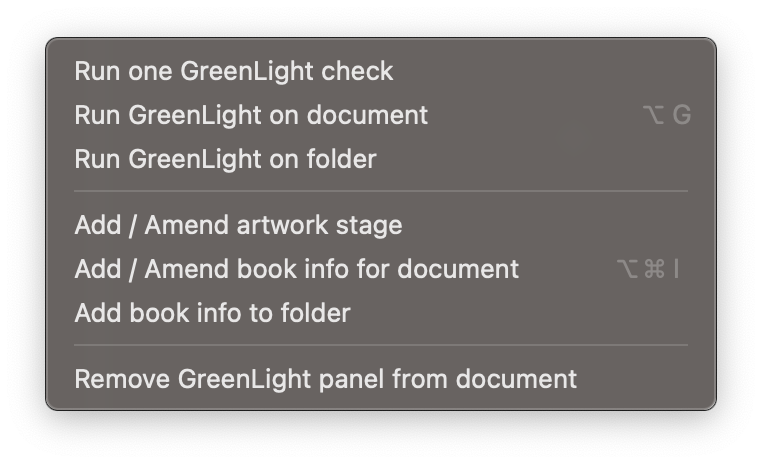
Quickly run any single check by choosing from a comprehensive list
Perform each of the checks in the active checklist on the InDesign document
Run GreenLight checklists across multiple documents in a folder
Add or alter the artwork stage applied to the current document
Set extra information about the book, shown in the GreenLight Info panel and used in checks and exporting
Add extra information and GreenLight Info panels to all InDesign documents in a folder – useful for quickly adding consistent info to books split into sections
Quickly remove the GreenLight layer and GreenLight panel from the active InDesign document
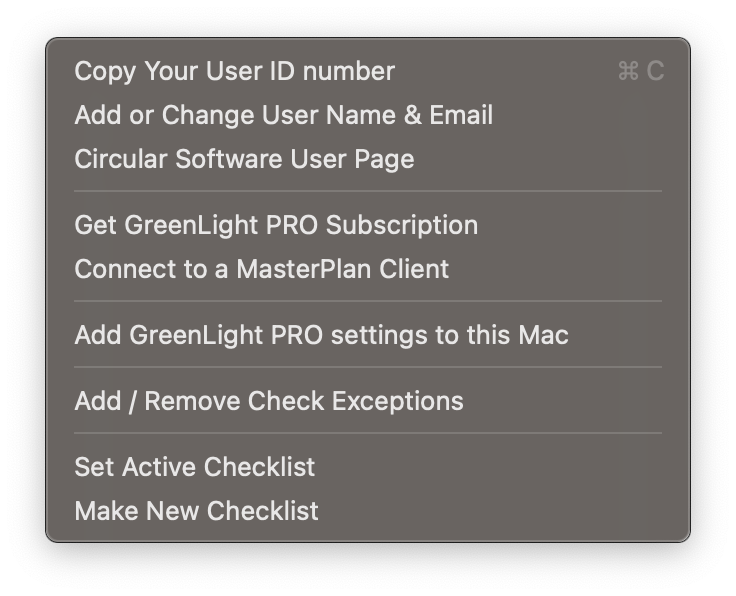
This number (from the Mac hardware) is used when registering to control the licensing of Circular Software on launch
To view or change the registered user name and email associated with the User ID
Linking to a page which confirms version numbers of Circular Software, Adobe InDesign and macOS and relevant links to updates, tutorials, and client info
Upgrade GreenLight FREE to GreenLight PRO for more features such as those for co-edtion publishing. See Which GreenLight is right for me?
Both GreenLight FREE and PRO users can upload content from InDesign when linked to a MasterPlan client. GreenLight Custom users are already linked to their client.
Add the required presets and settings files to your Mac. These are installed the first time GreenLight is launched and can be re-added here if necessary.
Some checks may not be strictly required for successful production. In this case, selected checks may have an exception allowed.
Both GreenLight FREE and PRO users can select which checklist to use when checking a document. GreenLight Custom users switch to the most relevant checklist based on their document naming.
GreenLight PRO users can create new checklists to share with other users using this form
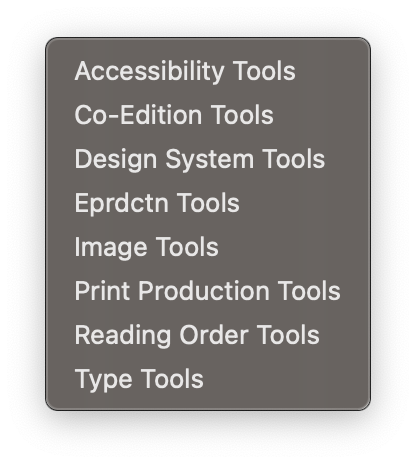
Each GreenLight tool is listed and described in more detail on the Circular Software Tools page
Add key accessibility features to InDesign files including metadata, text styling and sections
Tools to control text colouring, overprinting, layering, text wraps and accurate file naming for co-edition publishing
Managing and mapping styles, themes and fonts between InDesign, Microsoft Word and the web
Checks to support ebook production for InDesign documents and EPUBs including font reports and hyperlinks
Add and manage image descriptions, Slimage (image optimisation) and labelling
Tools to quicky fix common print production problems including setting overprint, unlocking all objects, and deleting pasteboard objects or stray points
Define and update reading order by page and set additional region navigation for more accessible complex Fixed-Layout EPUBs
Tools to highlight and fix common typographical and text layout issues including hyphenation, forced line breaks or no breaks and text style overrides
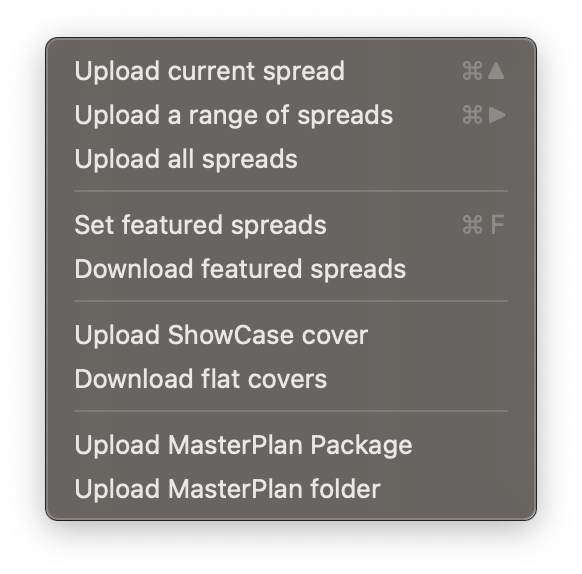
Note: These commands require a connection to MasterPlan. For more info see Connecting GreenLight to a MasterPlan Client.
Upload the specified InDesign spread(s) to the MasterPlan job connected in the GreenLight Info panel
Choosing the spreads that best represent the book in BookSite presentations
Quickly download high quality JPEGs of the featured spreads for any MasterPlan job for manual upload to Biblio
GreenLight created cover artwork is able to take advatage of Circular Software's ShowCase – a unique, interactive, 3D simulation of the cover, showing off designs and special finishes.
For users without BookSite only, upload a front cover JPEG to MasterPlan
For BookSite users only, quickly download mulitple high quality JPEGs of covers from Biblio
Upload a MasterPlan package or folder (containing text for search, thumbnail graphics, and PDF / EPUB) previously exported from GreenLight or CircularFLO
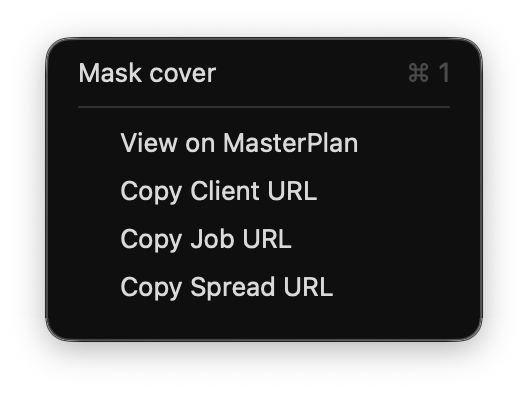
Quickly isolate a full screen preview of the front cover, or any selected section (e.g. the spine), of a GreenLight created cover
Note: The following commands require a connection to MasterPlan. For more info see Connecting GreenLight to a MasterPlan Client.
Open the MasterPlan job for the active InDesign document in Job Admin mode
Copy a direct link to all jobs on the client page, the active job or the current spread to share with colleagues
Whereas InDesign's preview will always show all adjoining pages, GreenLight enables designers to view individual parts of their covers in isolation. e.g. only the spine.

This article explains how to work with existing GreenLight covers. To create a cover, see the tutorial Creating print ready covers to publisher specs
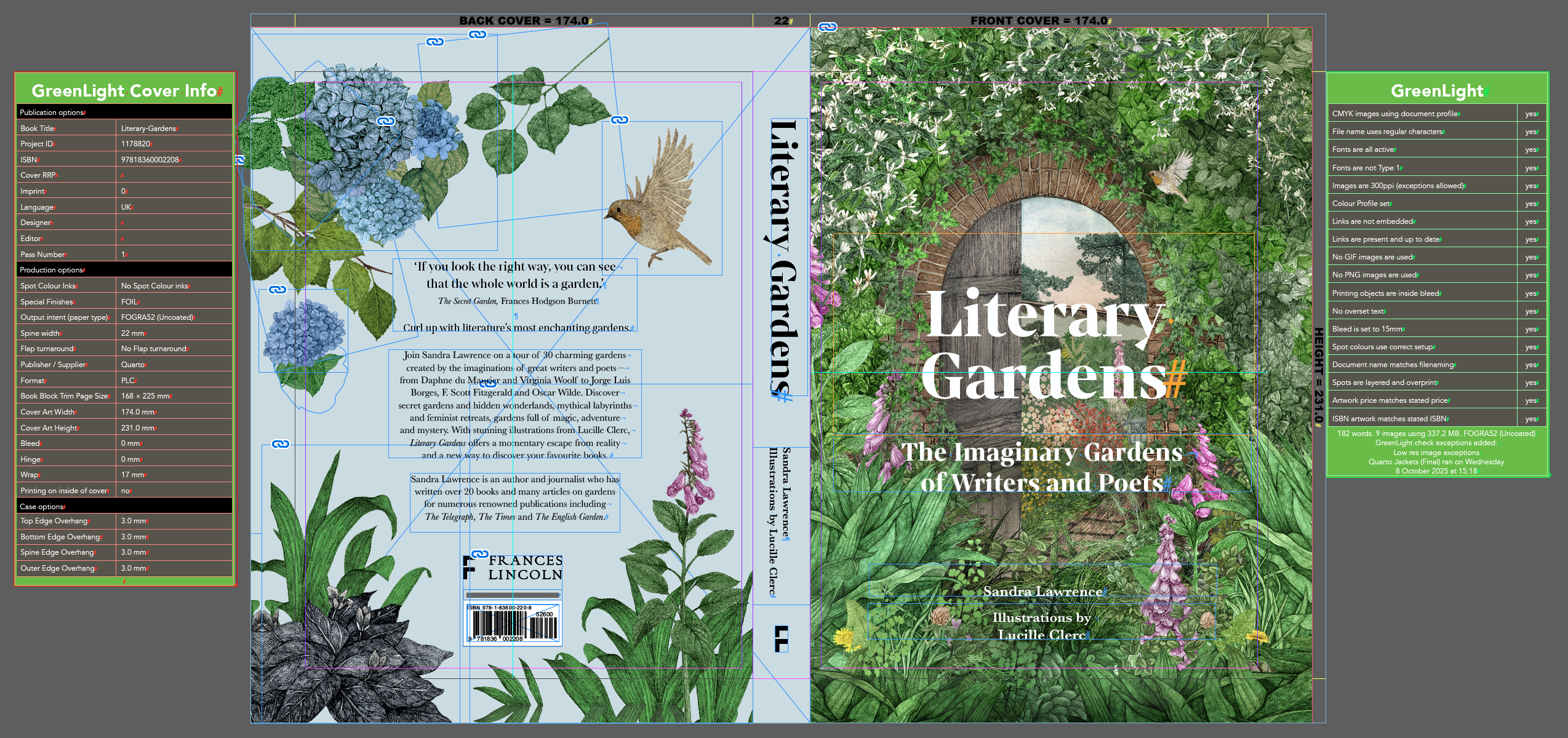
GreenLight generates cover documents of individual correctly sized InDesign pages arranged as spreads.
Multiple pages for each part of the cover or jacket – e.g. front and back covers, spine and flaps – are arranged together in an InDesign spread with the requisite bleed.
This is the correct setup for production but viewing it this way can make design decisions more difficult. Viewing cover artwork in isolation can therefore help with this process. e.g. the alignment and centring of content on a front cover or spine.
Tip: With no object selected GreenLight will preview the front cover by default.