


Restricted fonts checked
Checking fonts in the InDesign document against a list of restricted fonts
Alongside the thousands of fonts that are available for use in all books are some which can only be used in specific instances and therefore need to be checked for.
A reference list of restricted fonts for Walker Books Group and their associated artists is available online.
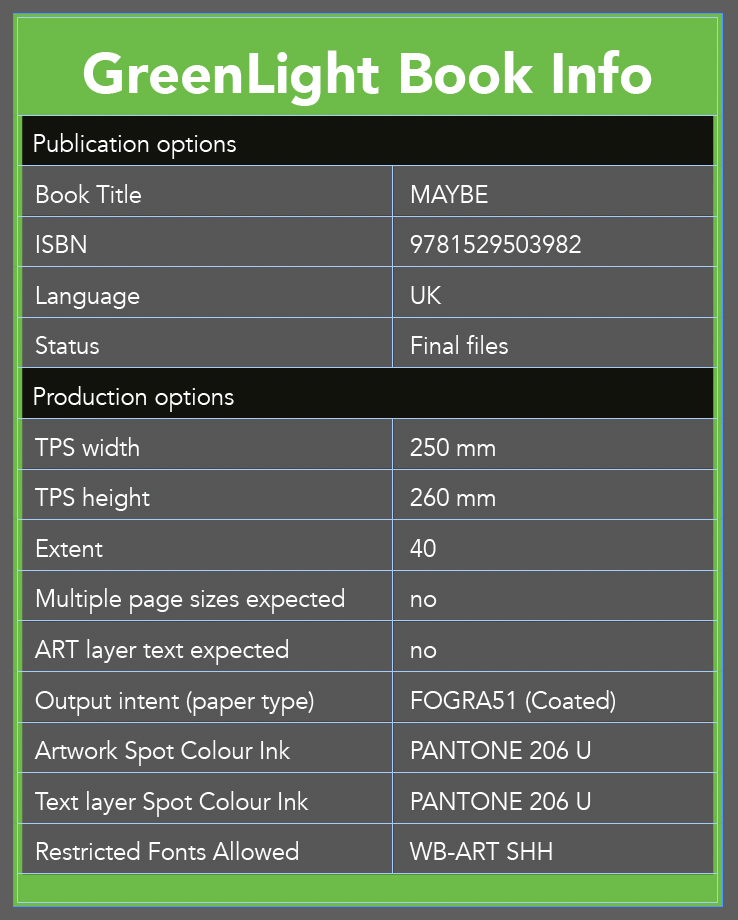
This GreenLight check will flag when a restricted font is used In InDesign and is not declared in the Restricted Fonts Allowed row of the GreenLight Book Info panel.

To legitimately use a restricted font, the full font name must be declared in the Restricted Fonts Allowed row of the GreenLight Book Info panel (see Add / Amend Book Info article to learn more about creating and editing a GreenLight Book Info panel).
e.g. the WB-ART SHH font designed by Chris Haughton can only be used in permitted books by this artist.
Tip: To see which fonts have been used and where, use InDesign Type menu > Find/replace font…


