


No unused spots or special layers
This check is making sure that the spot colours and spot colour layers contained in the InDesign document are being used within the InDesign pages.
The use of spot colour extra inks and special finishes adds to the cost of production and so spot colours are typically reserved for the covers files of books that have the budget for them!
There is no need to have unused or unidentified spot colours in output final files and it can cause confusion and delays.
To quickly remove unused swatches from InDesign choose InDesign Window menu > Color > Swatches, from the panel menu choose Select All Unused and click the Trash button at the bottom of the panel to delete:

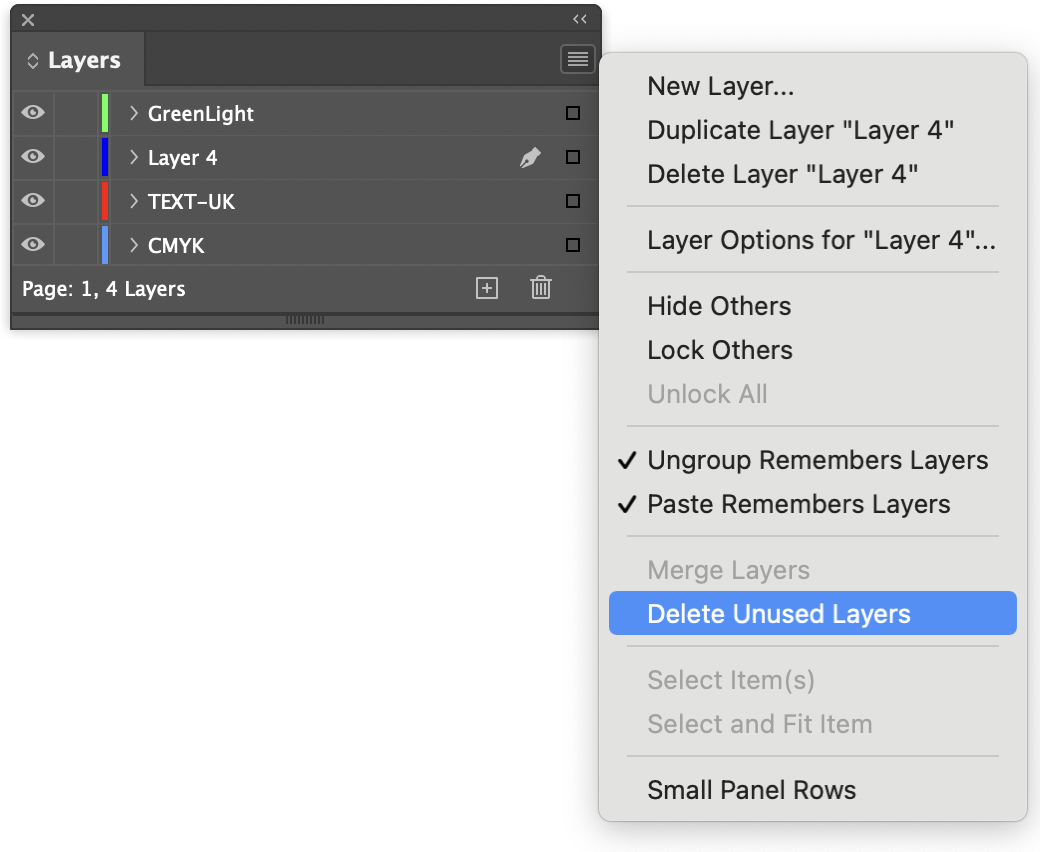
Similarly you can remove unused layers in your document by choosing InDesign Window menu > Layers and from its panel menu choosing Delete Unused Layers:
Help on working with colour in InDesign
Help on creating and using layers in InDesign


